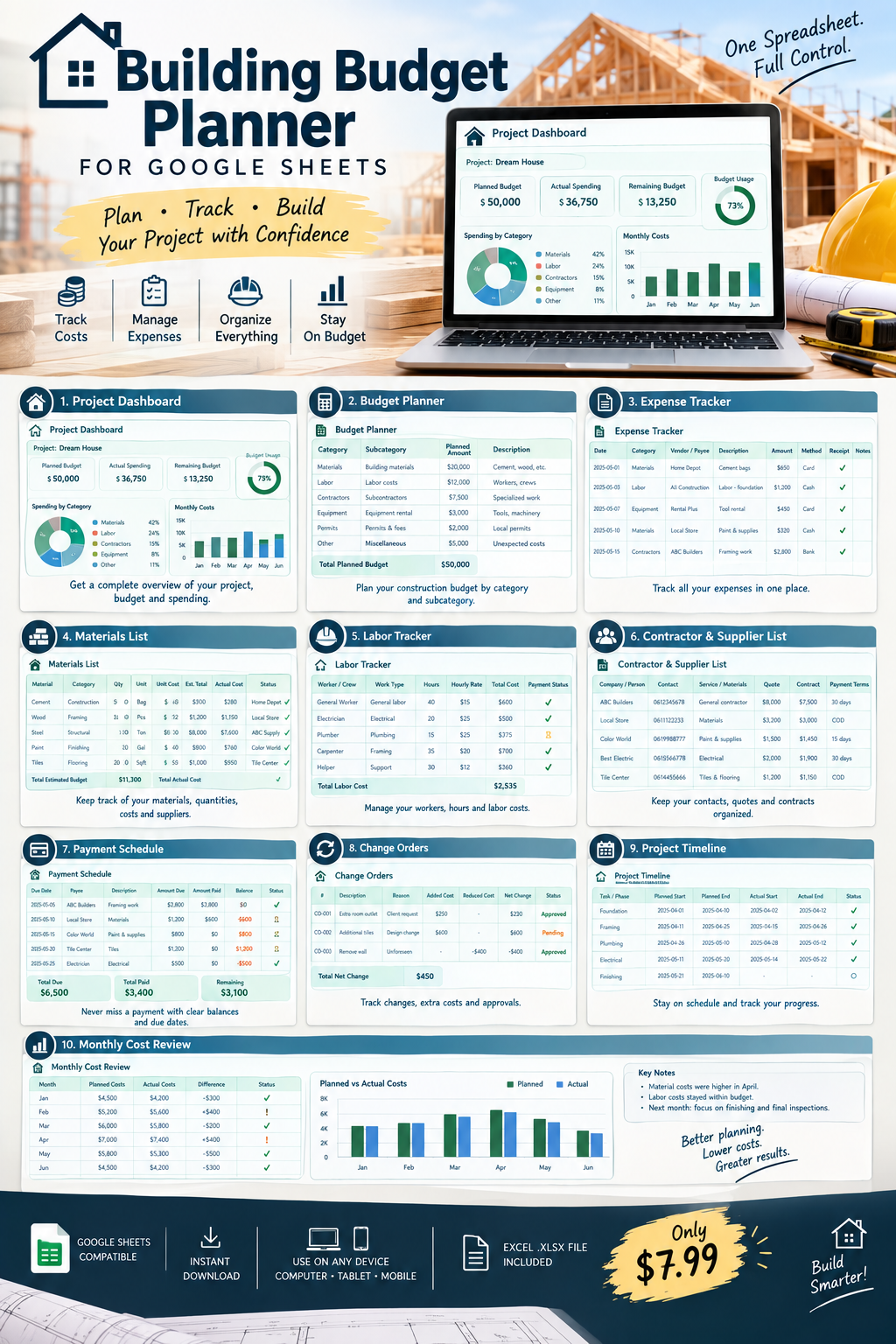
Building Budget Planner for Google Sheets | Construction Budget & Expense Tracker
$ 3,99
🏗️ Building Budget Planner for Google Sheets
Planning a construction project can quickly become difficult when you’re tracking materials, labor, contractors, payments, expenses, and unexpected costs in different places.
This Building Budget Planner gives you one organized spreadsheet to plan and monitor your construction budget from start to finish.
Whether you’re building a house, renovating a property, managing a small construction project, or simply trying to keep your building expenses organized, this template helps you keep everything in one place.
📊 What’s Included
🏠 Project Dashboard
- Project name
- Planned budget
- Actual spending
- Remaining budget
- Budget usage overview
💰 Budget Planner
- Construction categories
- Subcategories
- Planned amounts
- Descriptions
- Notes
🧾 Expense Tracker
- Date
- Category
- Vendor/payee
- Description
- Actual amount
- Payment method
- Receipt/reference
- Notes
🧱 Materials List
- Materials
- Categories
- Quantities
- Units
- Estimated unit costs
- Automatic estimated totals
- Actual costs
- Suppliers
- Status tracking
👷 Labor Tracker
- Workers/crews
- Work type
- Hours
- Hourly rates
- Automatic labor cost
- Payment status
🤝 Contractor & Supplier List
- Company/person
- Contact information
- Services/materials
- Quote amount
- Contract amount
- Payment terms
💳 Payment Schedule
- Due dates
- Payees
- Amount due
- Amount paid
- Automatic remaining balance
- Payment status
🔄 Change Orders
- Change order number
- Description
- Reason
- Added cost
- Reduced cost
- Automatic net change
- Approval tracking
📅 Project Timeline
- Construction tasks/phases
- Planned dates
- Actual dates
- Status
- Responsible person
- Notes
📈 Monthly Cost Review
- Planned monthly costs
- Actual costs
- Difference
- Major expenses
- Problems/delays
- Next-month planning
✨ Perfect For
- 🏠 Home construction
- 🔨 Home renovation
- 🏗️ Building projects
- 👷 Small contractors
- 🏡 Homeowners
- 🧱 Property improvement projects
- 💰 Construction budget tracking
- 📊 Project expense management
💻 How It Works
- Purchase the digital planner.
- Download the
.xlsxfile. - Upload it to Google Drive.
- Open it with Google Sheets.
- Enter your project information and start tracking your costs.
📦 Product Details
✔ Google Sheets compatible
✔ Excel .xlsx format
✔ Automatic calculations
✔ Multiple planning sheets
✔ Reusable for different projects
✔ Instant digital download
✔ No physical product will be shipped
Keep your building project organized and know where your money is going. 🏗️📊